Frequently Asked Questions

All Frequently Asked Questions

Solutions for NEWARE BTS Software Installation Failure
SOFTWARE

Solutions for NEWARE BTS Software Installation Failure

Fix NEWARE BTS installation failed issues by verifying PC hardware specs, turning off firewall and antivirus, and modifying the installation path to reinstall.
Capacity not accumulating
DATAS

Capacity not accumulating

Open the installation directory of BTS8.0 software (as shown in the figure) and create a desktop shortcut for the BTSDAEx software.
Discharge curve fluctuations
DATAS

Discharge curve fluctuations

Solution 1: Check if it's caused by fixture abnormalities and replace the fixture.
Solutions for NEWARE BTS R3 Service Abnormality
CONNECTION

Solutions for NEWARE BTS R3 Service Abnormality

Troubleshooting steps for NEWARE BTS R3 service abnormality, including starting MySQL and BTS services, software upgrade and database repair support.
Data cannot be accessed after a power outage
SOFTWARE

Data cannot be accessed after a power outage

Check computer memory and terminate memory-consuming processes.
Unable to log in after a power outage
SOFTWARE

Unable to log in after a power outage

The software server is not running. Restart the server.
No NDA data for this channel
CONNECTION

No NDA data for this channel

Solution 1: Check if the hard disk is full, you need to clean up the hard disk space and end the processes that occupy memory.
Modifying the Control Unit sampling frequency
CONNECTION

Modifying the Control Unit sampling frequency

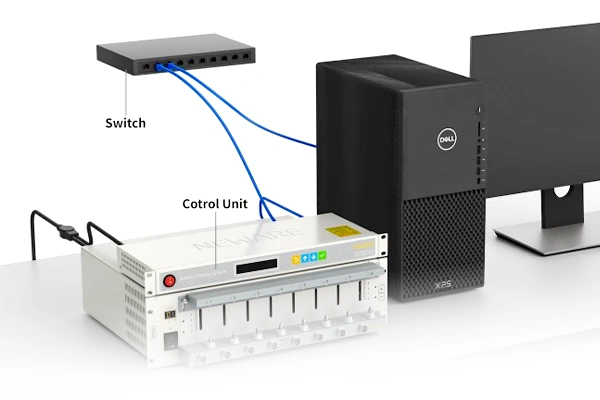
To modify the sampling frequency of the Control Unit, you first need to obtain the Control Unit's IP address.
Set computer IP
Set computer IP
CONNECTION

Set computer IP

Open "Control Panel," click "Network and Internet." Access "Network and Sharing Center," and click "Change adapter settings."
Pulse (SIM) data is abnormal
DATAS

Pulse (SIM) data is abnormal

When there are anomalies in pulse data or SIM data, you can adjust the sampling frequency of the control unit to synchronize it with the tester's frequency.
The capacity is high or low
DATAS

The capacity is high or low

During battery performance testing, if abnormal capacity is detected, whether it's unusually high or low, you can address it by considering the following solutions.
There is a deviation in the capacity testing of multiple devices
DATAS

There is a deviation in the capacity testing of multiple devices

Modify the method of capacity measurement to ensure consistent cycle counting for each device. It is recommended to choose: charge before discharge. Open the BTSDA software, select the wrench-shaped icon - "Parameter settings," choose "Circulating layer," and modify the Circular statistics to "Charge first."
Solutions for Current Deviation Alarm in NEWARE BTS
SOFTWARE

Solutions for Current Deviation Alarm in NEWARE BTS

4 practical troubleshooting solutions for NEWARE BTS current deviation alarm, including current range check, BTS 8.0 parameter setting, fixture inspection and device calibration guide.
Steps cannot be edited
SOFTWARE

Steps cannot be edited

When the work step Settings appear gray and cannot be edited, refer to the following solutions.
Channel cannot move
Channel cannot move
SOFTWARE

Channel cannot move

Note: Only one channel can be move at a time. The moving channel must be in the working state, and the moved channel must be in the completed state. This function supports only BTS8.0 or later versions.
Backup failure and repeated backup
SOFTWARE

Backup failure and repeated backup

Backup failure could be due to various reasons. It's recommended to perform the following solutions.

Hot Questions

View all FAQs

Still can't find your answer?

Our application engineers are ready to help with technical issues, calibration requests, and custom testing solutions.

NEWARE and Cookies
We use cookies to personalize and improve your experience with our website. By continuing to browse the site you are agreeing to our use of cookies.