neware-ai-banner

Troubleshooting guide for device disconnection

Latest updated: Dec 02, 2025

If the control unit disconnects during device operation, please follow the steps below to troubleshoot step by step.

1. Service not started properly

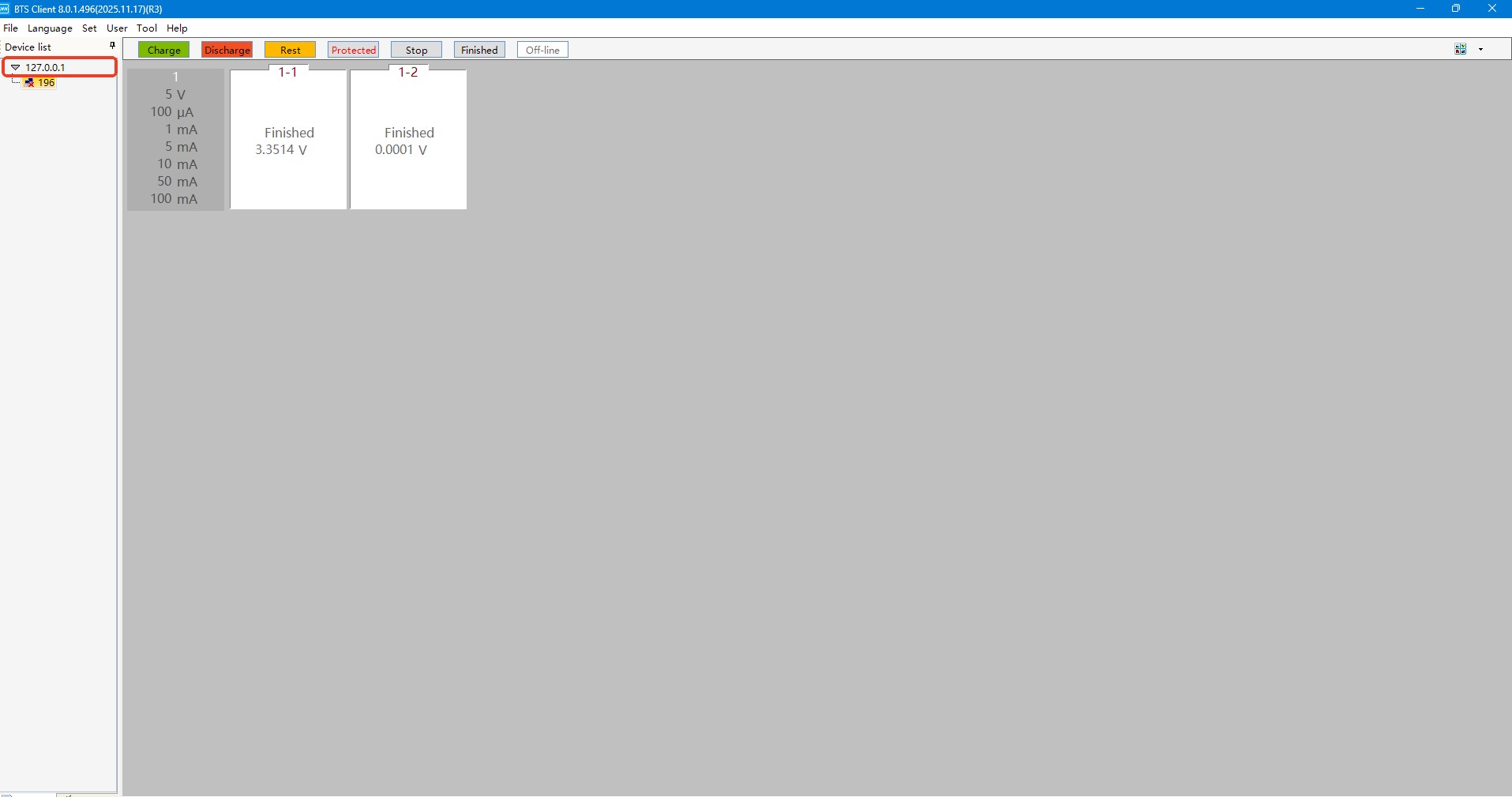
If the triangle icon before the IP address 127.0.0.1 on the left side of the software is gray, it indicates that the service has not started properly. Simply restart the computer. If the service still fails to start after restarting the computer, the service software may be corrupted. Please submit a repair request through "Neware Intelligence" to contact after-sales service for handling.

1


2. Check the computer's ip address

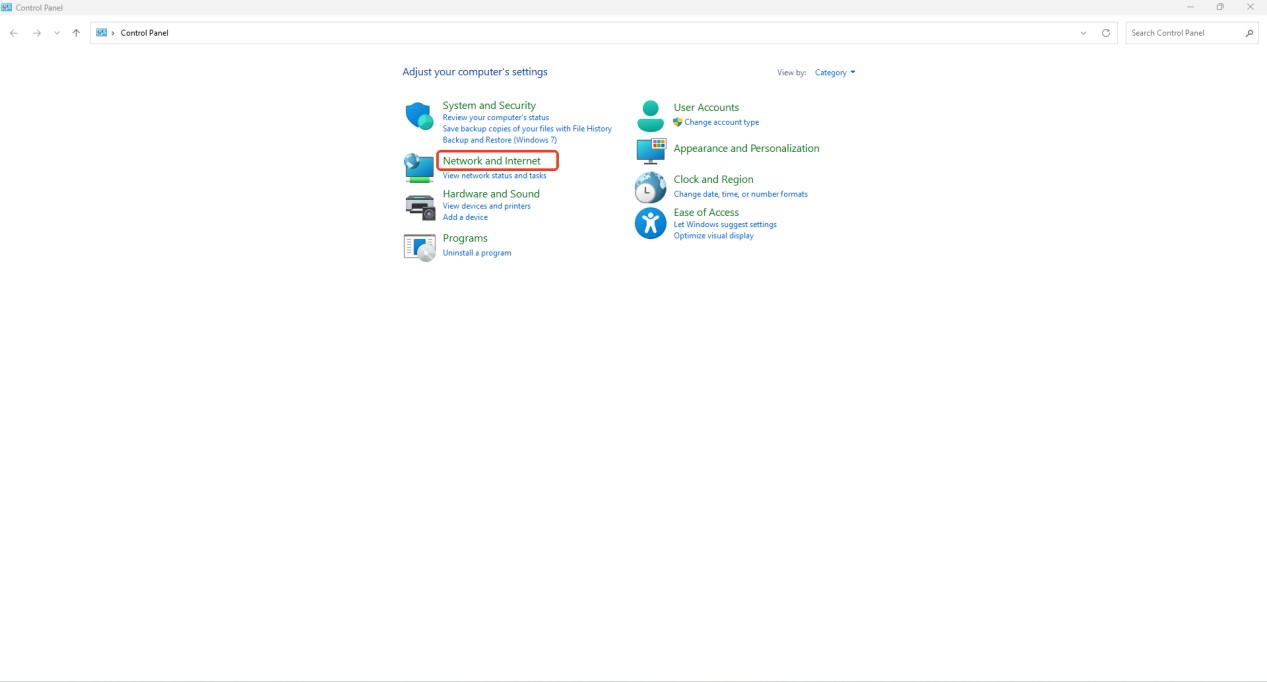
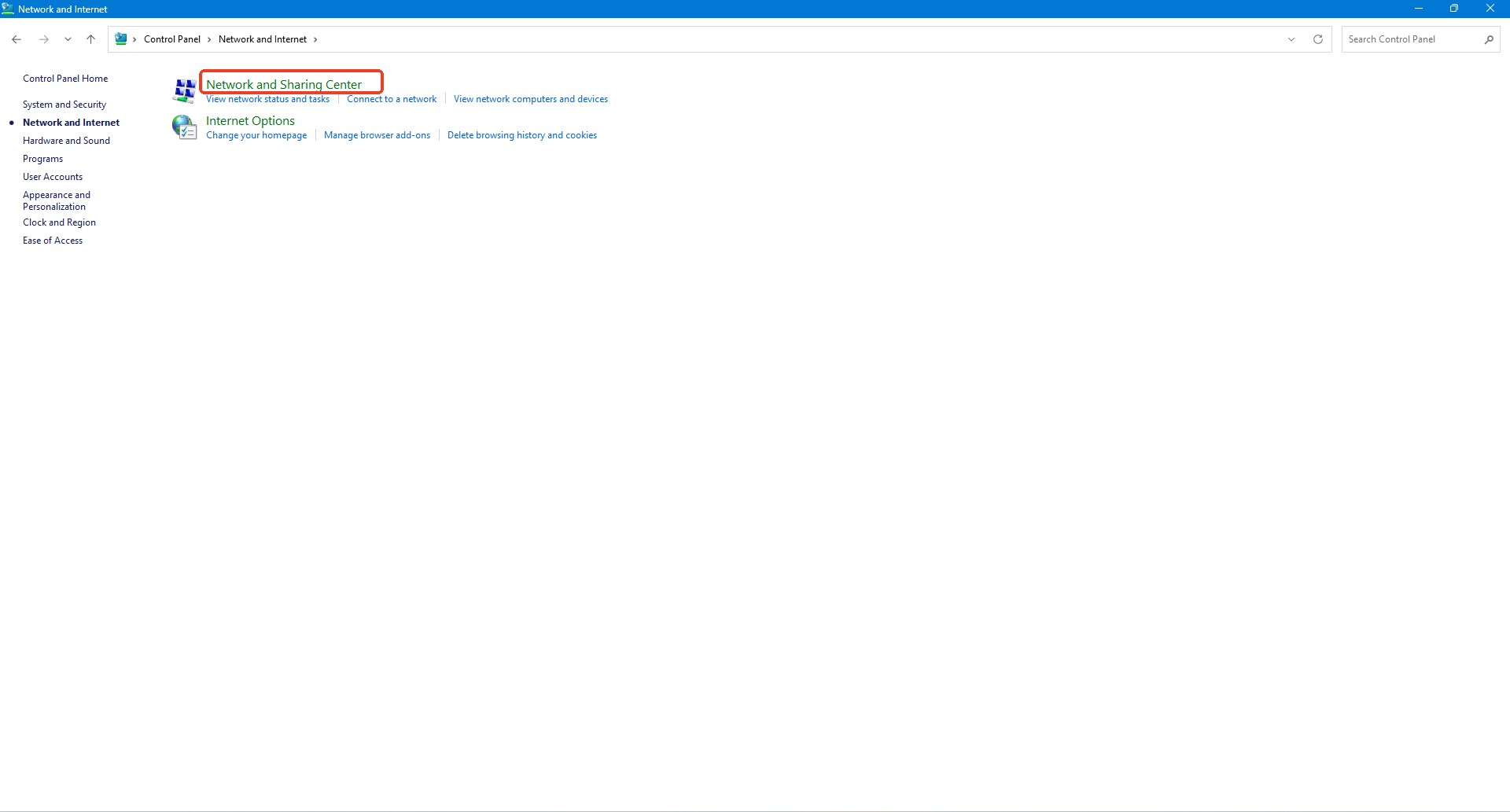
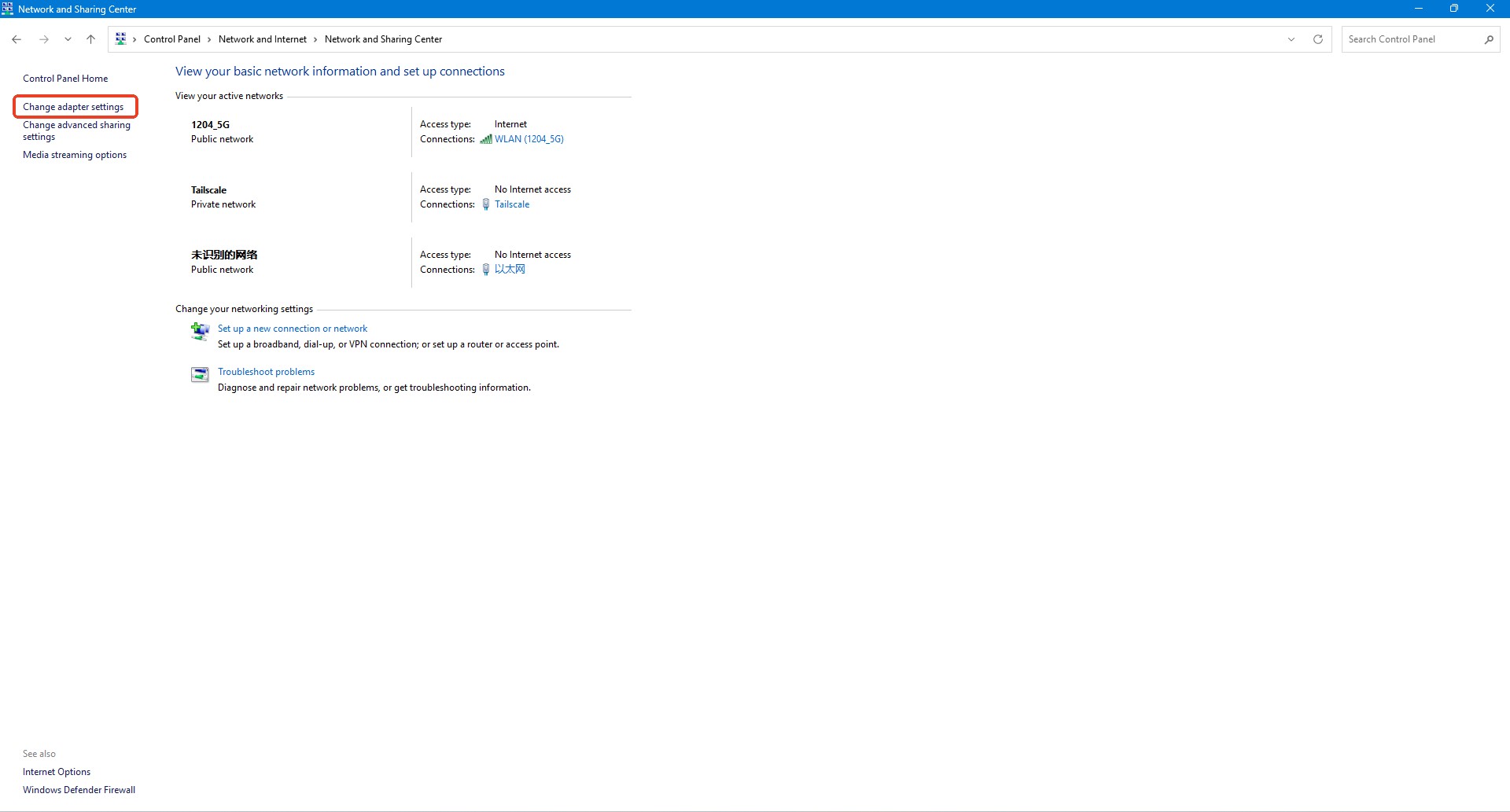
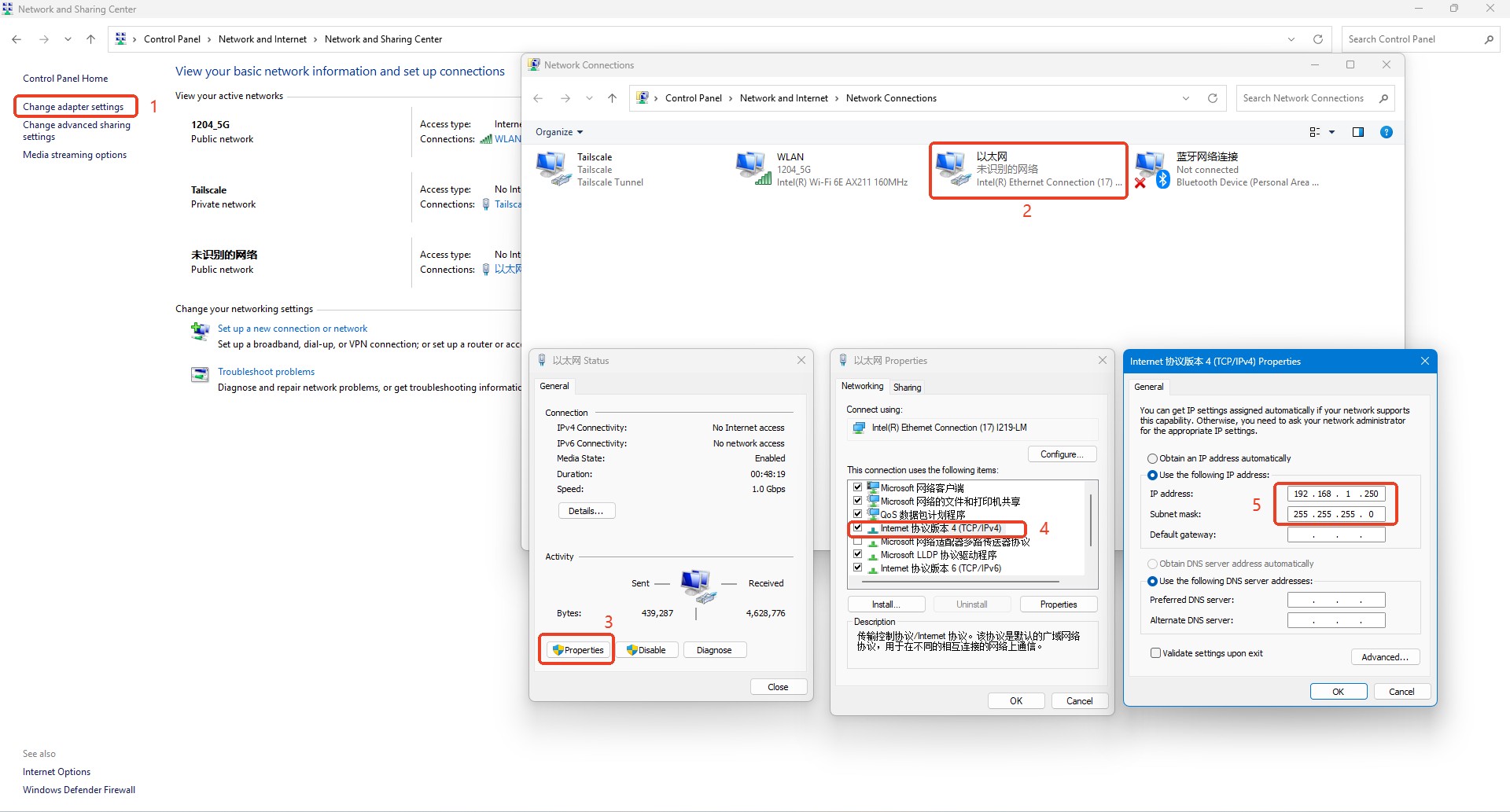
If the triangle icon before the IP address 127.0.0.1 on the left side of the software is yellow, the service is running normally, and you need to check the computer's IP address first. First, access the computer's "Control Panel", then click "Network and Internet", "Network and Sharing Center", and "Change Adapter Settings" in sequence.

Access Ethernet to check the IP address settings. Change "Obtain an IP address automatically" to "Use the following IP address". Set the IP address to 192.168.1.250 and the subnet mask to 255.255.255.0, then click "OK".


3. Check the control unit's ip address

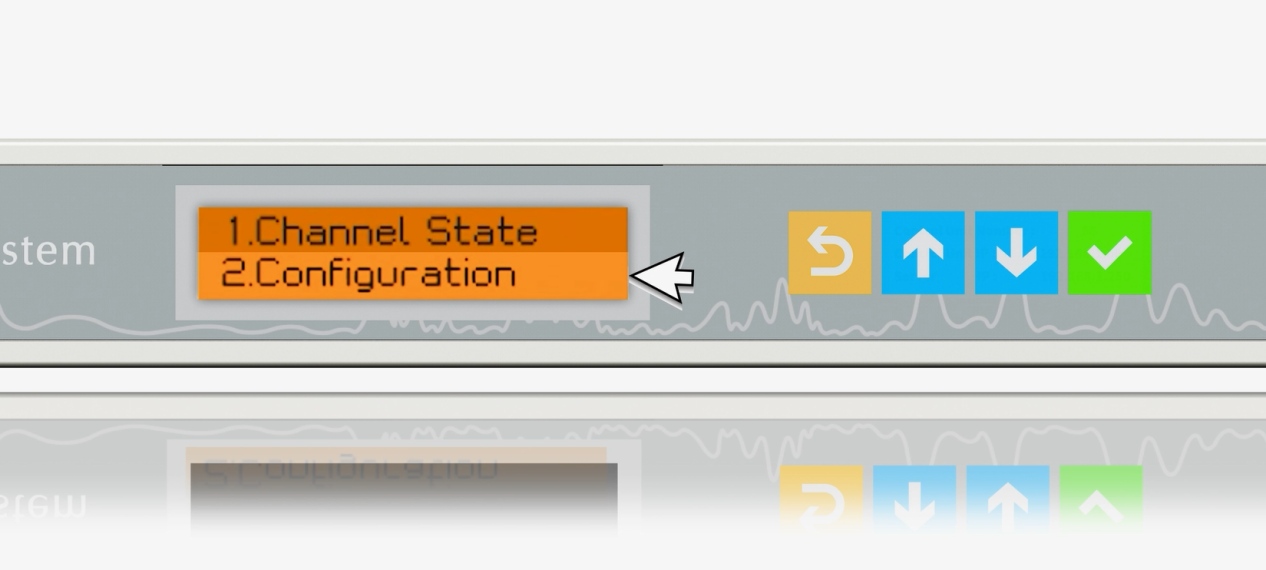
If the computer's IP address is confirmed to be correct but the control unit still disconnects, proceed to check the relevant IP settings of the control unit. The four buttons on the control unit panel from left to right are: Back 6, Up 7, Down , and Confirm 9. The first item on the main menu of the control unit display is Channel State, and the second item is Configuration.

Press the Down button to select the second item "Configuration", then click Confirm 9 to enter the sub-menu.

12


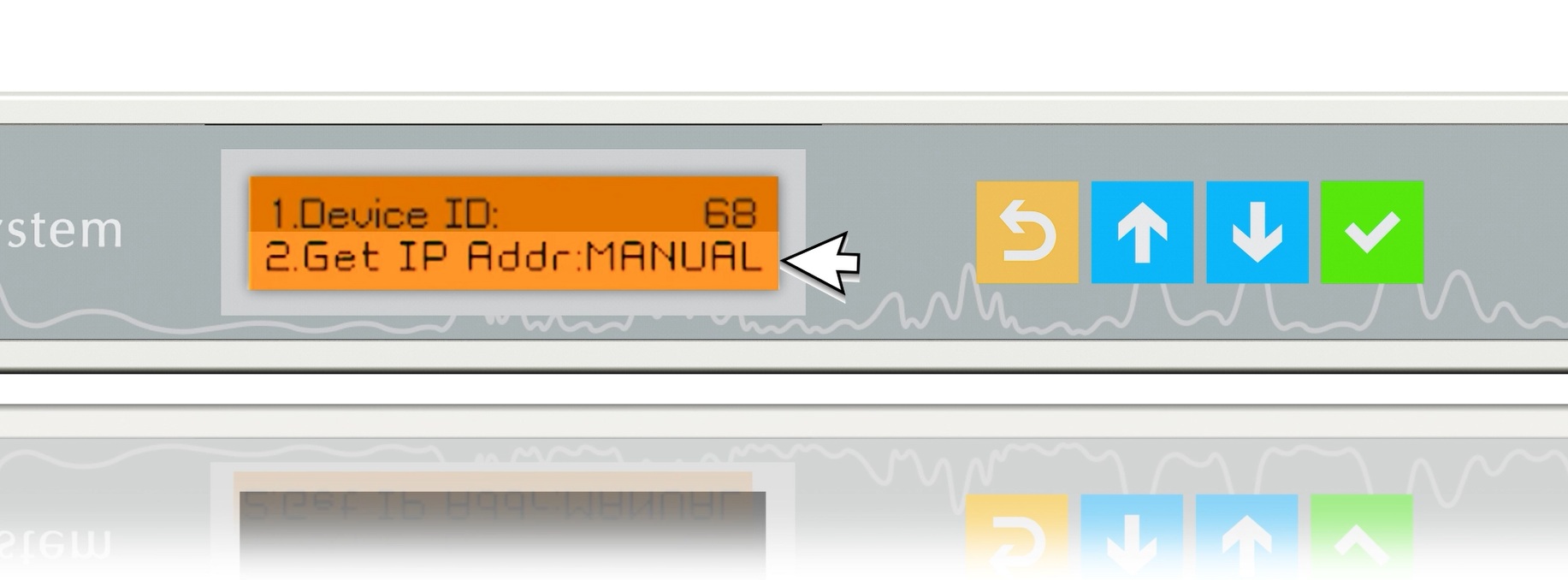
The first item "Device ID" refers to the control unit number.

The second item "Get IP Addr" refers to the method of obtaining the IP address; ensure it is set to MANUAL.

13


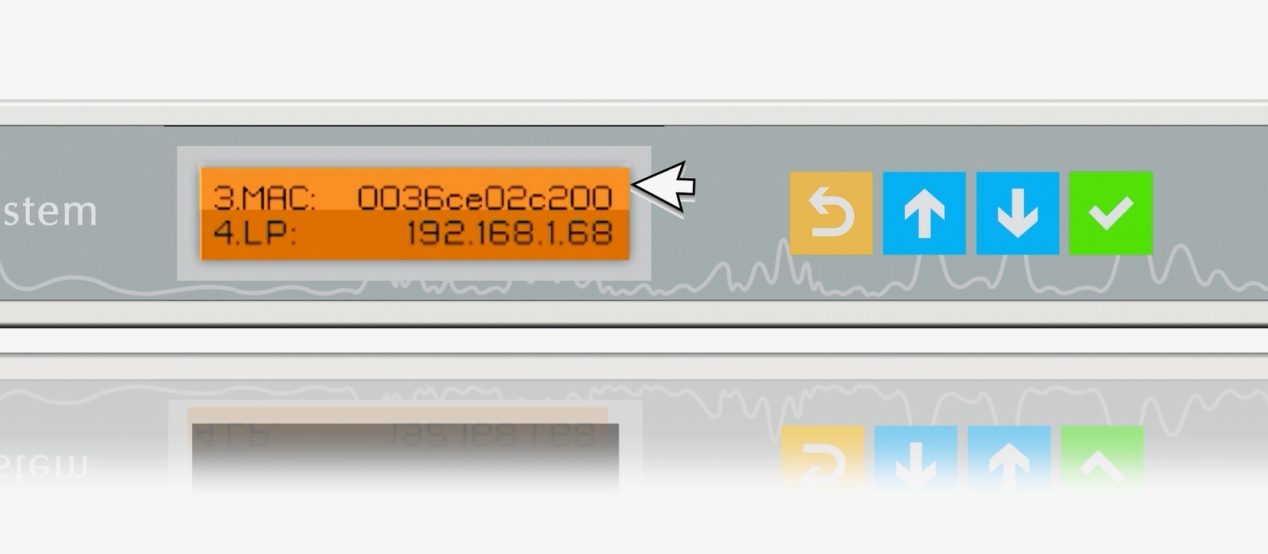
The third item "MAC" refers to the MAC address.

The fourth item "LP" refers to the control unit IP address; ensure it is set to 192.168.1.X, which is consistent with the control unit IP address on the factory label.

14


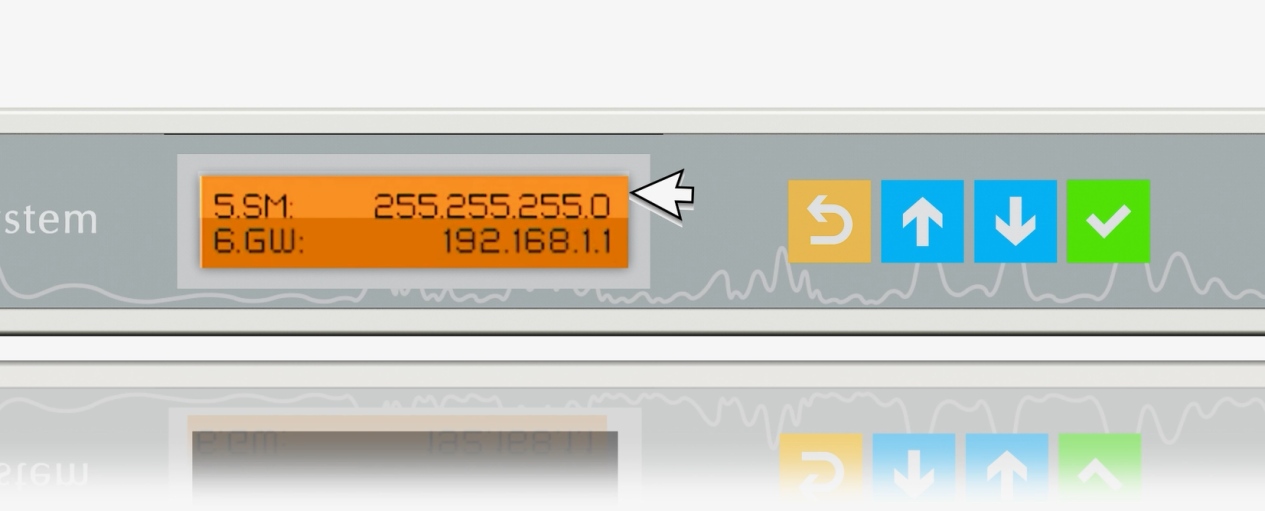
The fifth item "SM" refers to the subnet mask; ensure it is set to 255.255.255.0.

The sixth item "GW" refers to the gateway; ensure it is set to 192.168.1.1.

15


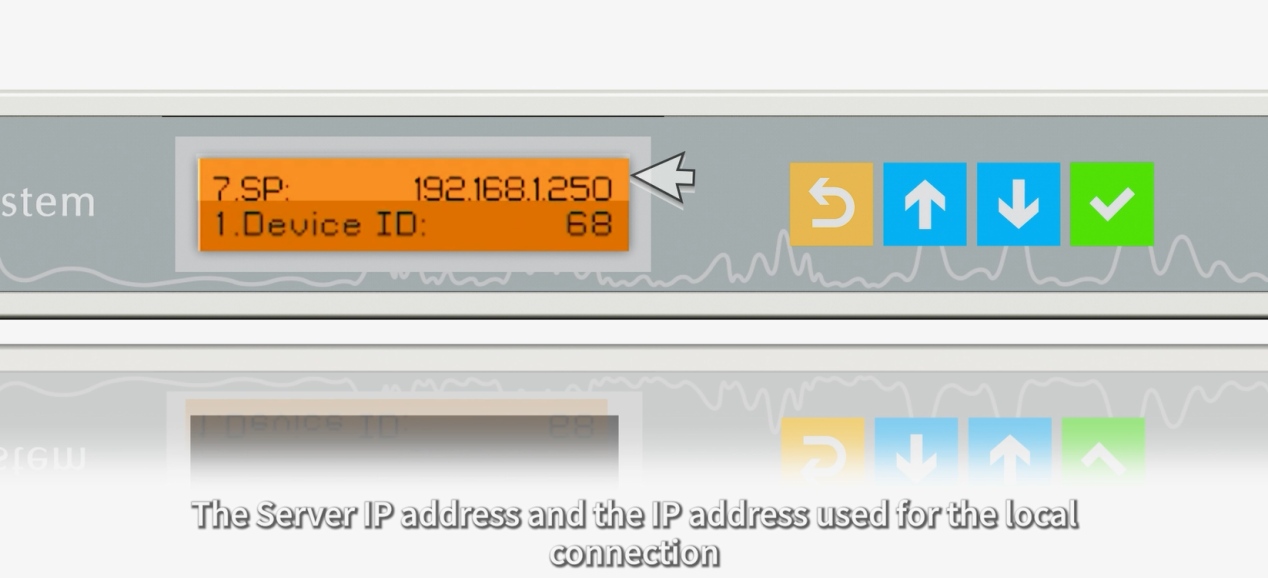
The seventh item "SP" refers to the server IP address; ensure it is set to 192.168.1.250.

16


To modify the above settings: first press the Up 7 and Down  buttons to select the item, then press Confirm 9 to enter the modification mode. Press the Up 7 and Down  buttons to increase or decrease the numbers, then press Confirm 9 to move to the next digit for modification. After modifying all four digits, press Confirm 9 to save the settings.


4. Check the network cable connection

If both the computer's and the control unit's IP addresses are confirmed to be correct but the control unit still disconnects, proceed to check the network cable connection.

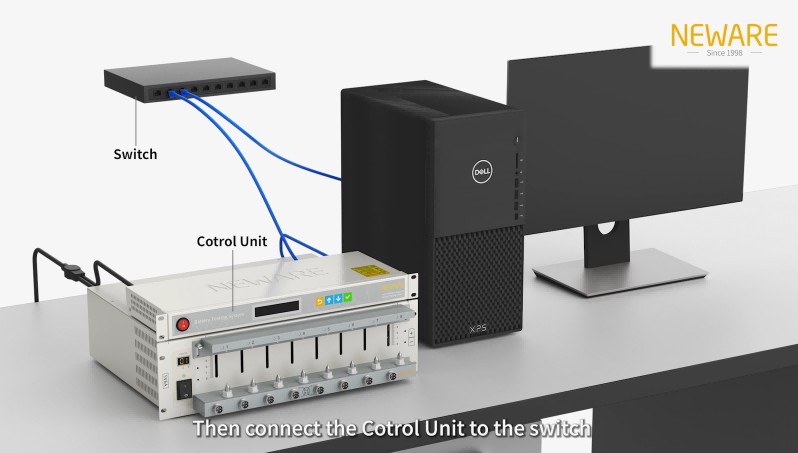
If the computer is directly connected to the control unit via a network cable, replug both ends of the network cable.

If the computer is connected to the control unit via a switch:

If all control units are disconnected, replug both ends of the network cable between the computer and the switch.

If only some control units are disconnected, replug the network cables between those control units and the switch.

If the disconnection issue persists, try replacing the network cable. If the problem is still not resolved, please submit a repair request through "Neware Intelligence" to contact after-sales service for handling.

24


Latest News

Stay informed with the latest from NEWARE.

Find the Right Battery Test Equipment for Your Needs.

Application Scenarios

Trusted testing solutions for global clients.

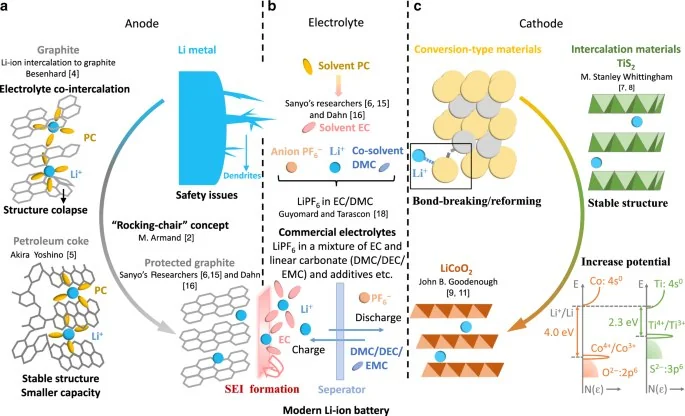
Solid-State Battery Research - NEWARE Solid-State Battery test
Solid-State Battery Research

The lab focuses on solid-state battery research to overcome traditional lithium batteries' safety and energy density issues, supporting environmental sustainability. It develops innovative solid-state electrolytes, refines electrode materials, and investigates ion transfer and interface stability to revolutionize battery technology.
View more
electric vehicle battery test
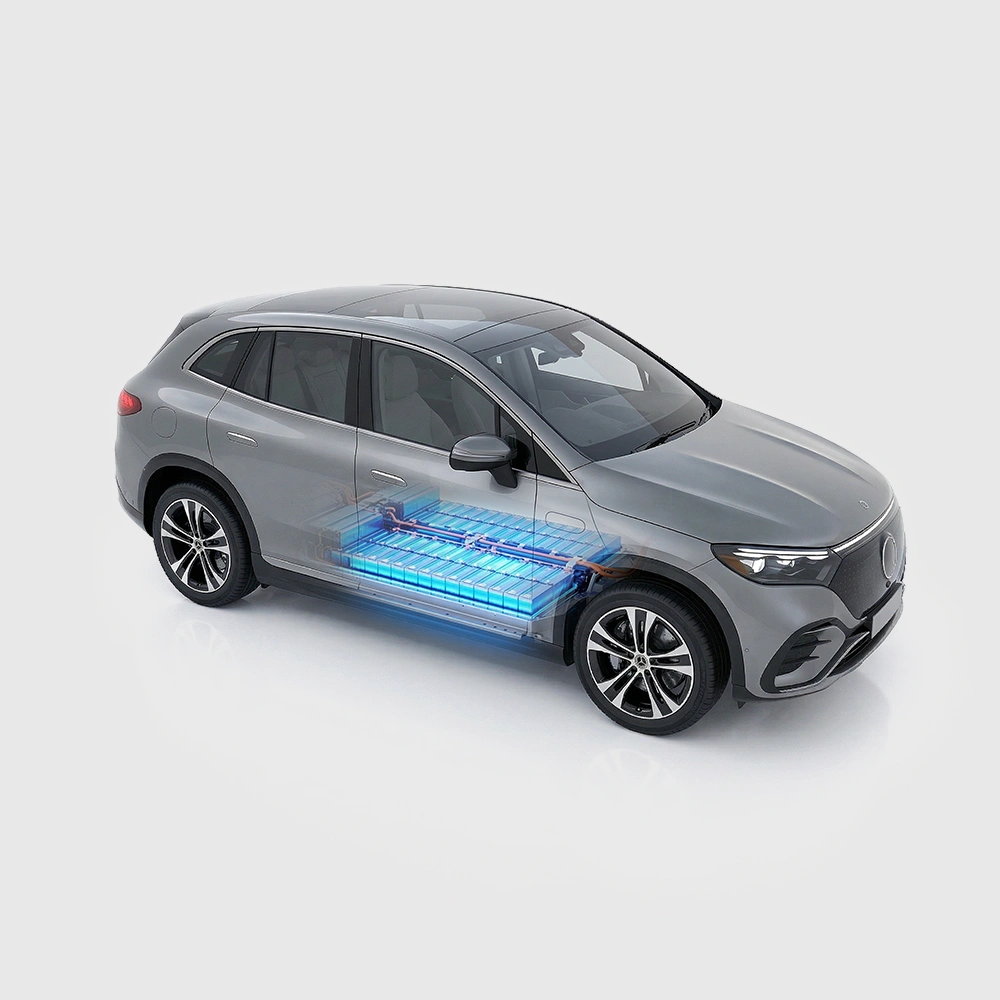
Electric Vehicle Battery

The electric vehicle battery industry is rapidly developing, focusing on technological innovation, market competition, and sustainability. Research hotspots include solid-state batteries, new types of electrolytes, BMS optimization, and recycling technologies. The environmental adaptability, safety, and economic viability of batteries are key research areas, and the industry is expected to undergo more innovation and transformation.
View more
Battery-powered vehicles include electric hoverboards, scooters, e-bikes, and motorcycles.
Electric Transportation Battery

Electric Hoverboard, electric scooters, e bikes, and electric motorcycles are changing the way people travel, with the development of battery technology being at the core of this transformation. The main issues faced by electric bicycle batteries include battery cost, range, the popularity of charging infrastructure, thermal management of batteries, and safety. As battery technology continues to advance, it provides more reliable power support for these intelligent devices.

View more
Battery Materials Research - NEWARE battery test
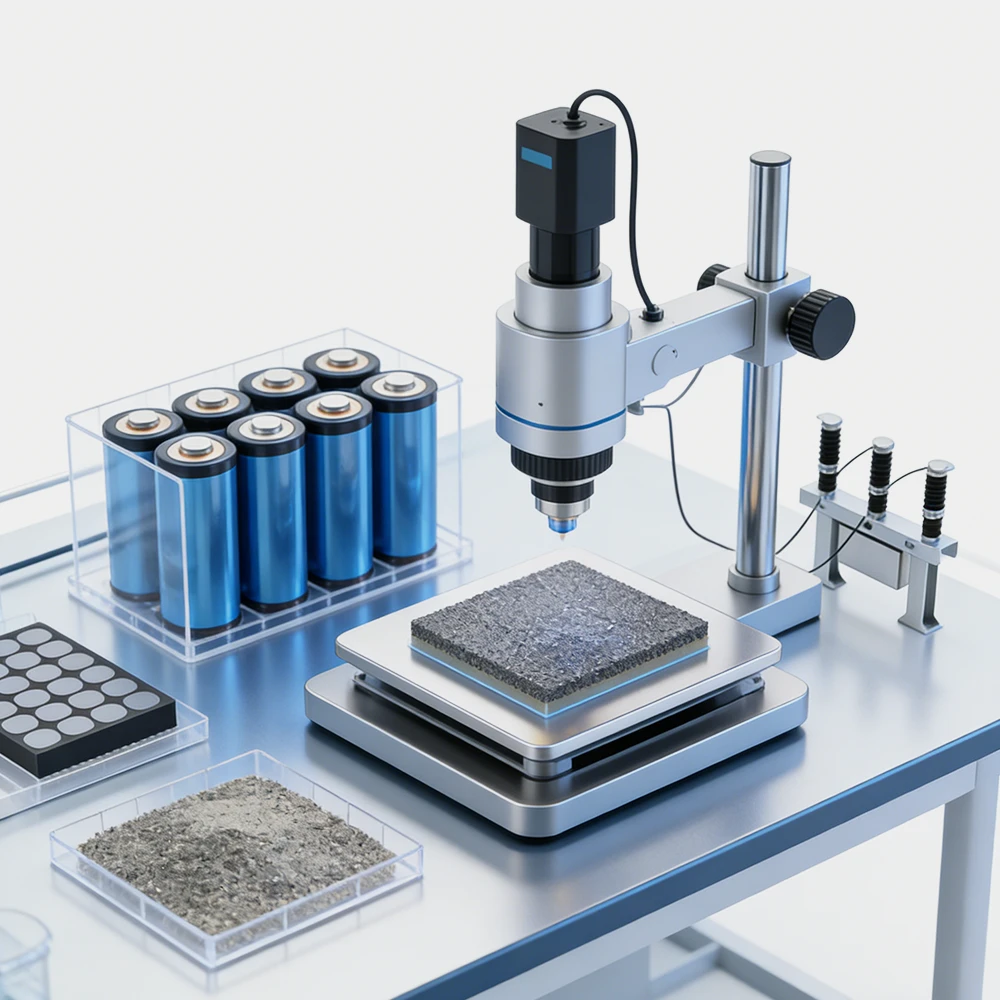
Battery Materials Research

We specialize in battery preparation technology research, focusing on overcoming existing energy storage challenges by innovating in electrode materials, battery chemistry, and manufacturing processes to improve performance, enhance safety, and reduce costs. Sustainability and recycling technologies for batteries are also emphasized to mitigate environmental impacts and foster the growth of green energy.
View more
NEWARE and Cookies
We use cookies to personalize and improve your experience with our website. By continuing to browse the site you are agreeing to our use of cookies.